Coming soon · for servers and desktop computers · built on Debian 13
Govnix
Computers that arrive safe, and one place to keep track of them. A Govnix machine is encrypted from its first start — the disk is opened by a key sealed inside the machine's own security chip and never written down — and the card you carry, with the PIN you know, is what signs you in, unlocks administrator rights, and reaches the other machines you are allowed to use. All of it is listed in one console.
Three things that are hard to get right by hand
Who may use which computer, what happens if one is stolen, and whether you can prove any of it later. On a handful of machines you can hold all of that in your head. On a hundred, nobody can — and that is the point at which the mistakes start.
Who is allowed to use what?
The computers, the people and the cards they carry are usually spread across a spreadsheet, a wiki page and somebody's memory. So the first question after any incident — who could have got into this machine, and who allowed it? — takes a day to answer.
A password is easy to steal
Passwords get reused, shared, guessed and phished. When the same password also unlocks administrator rights, one stolen password is the whole machine — and nobody can say who actually used it.
A stolen computer should not give up its data
An unencrypted laptop or server can be read by whoever ends up with it. And an extra secret to type at every start is the kind of rule that gets worked around in the first week — where a card people already carry is not.
Everything you own, in one place
Satellite is the console that keeps track of your whole setup. There are three kinds of record in it — people, computers, and the cards and keys those people use — and everything else is just the link between them: which job somebody holds, which group a computer is in, and who is allowed to sign in where.

People
Open a person's page and their access is all in one place: what they are allowed to do, which computers they can reach, and which cards or keys they hold.
Computers
Every machine has a page of its own: what it runs, who can connect to it, which group it belongs to, and whether it is online right now.
Cards and keys
One card can serve several people and one person can hold several cards or keys — which is how real teams work, and what a single "owner" field cannot say.
Ten screens hold all of it, and they are the console's own:
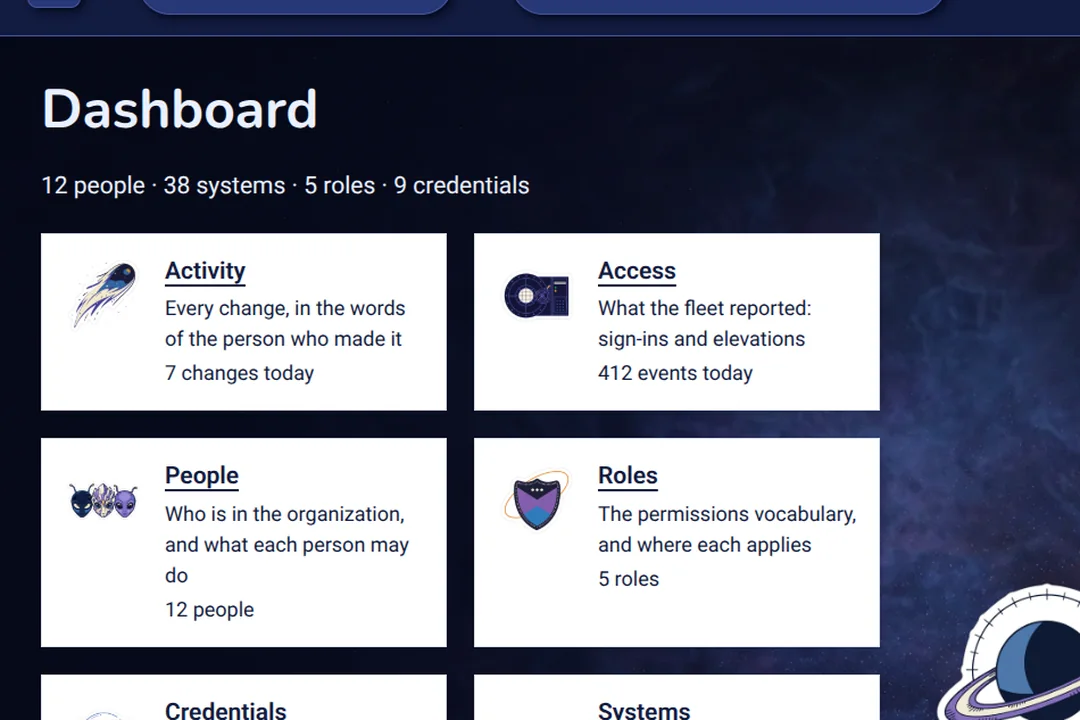

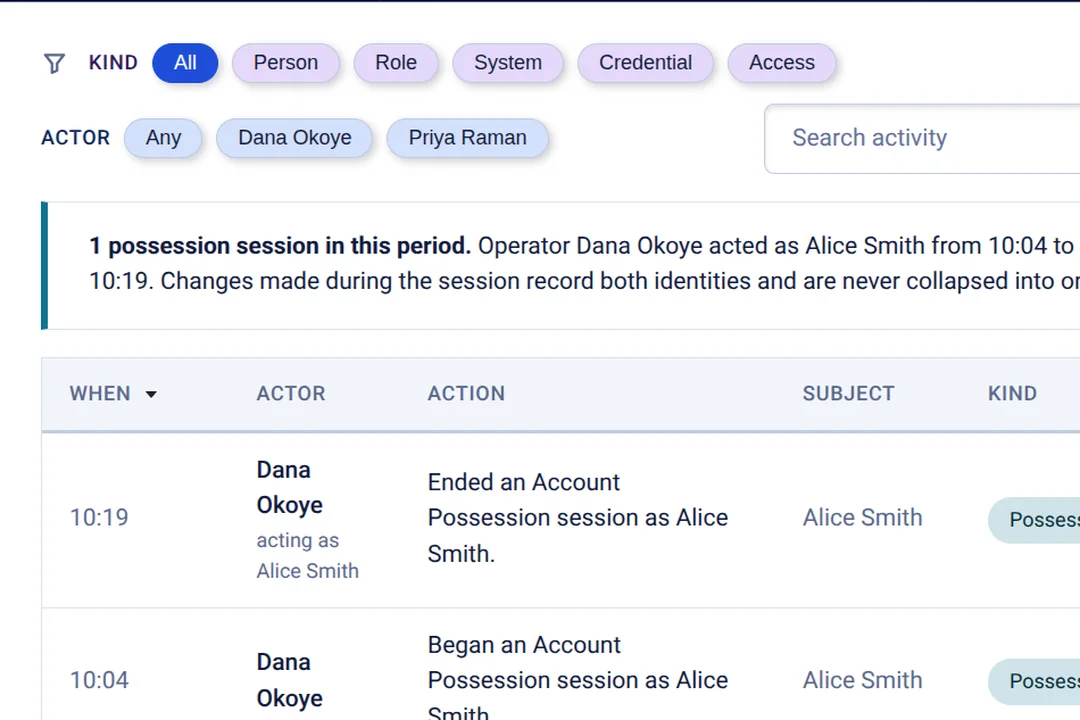

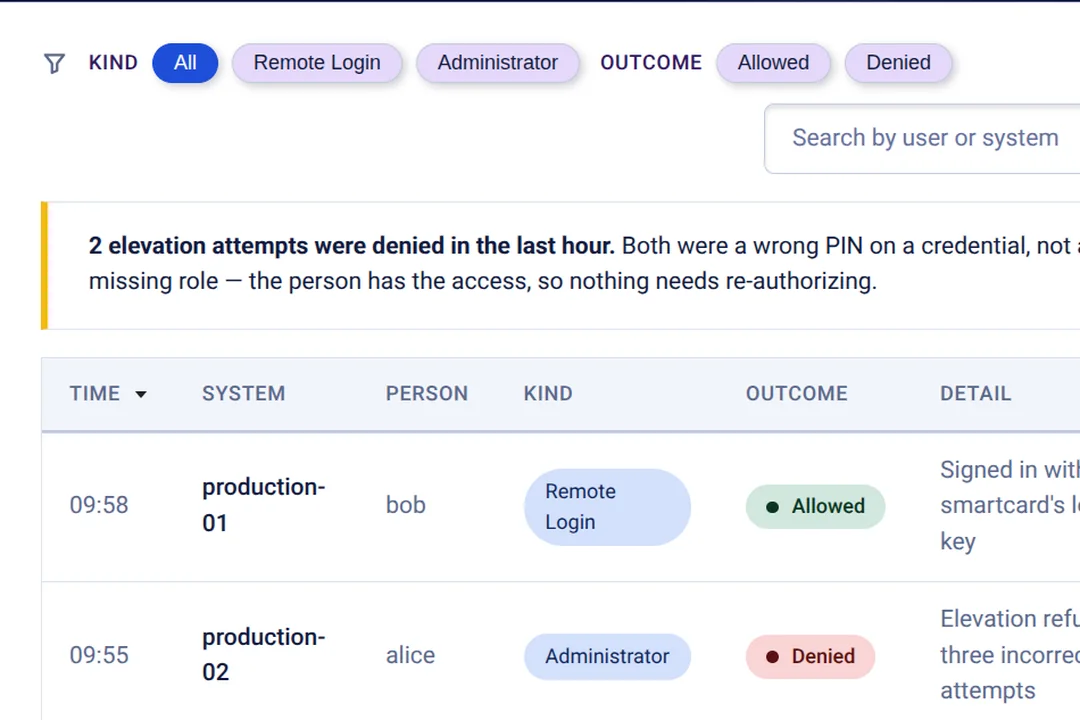
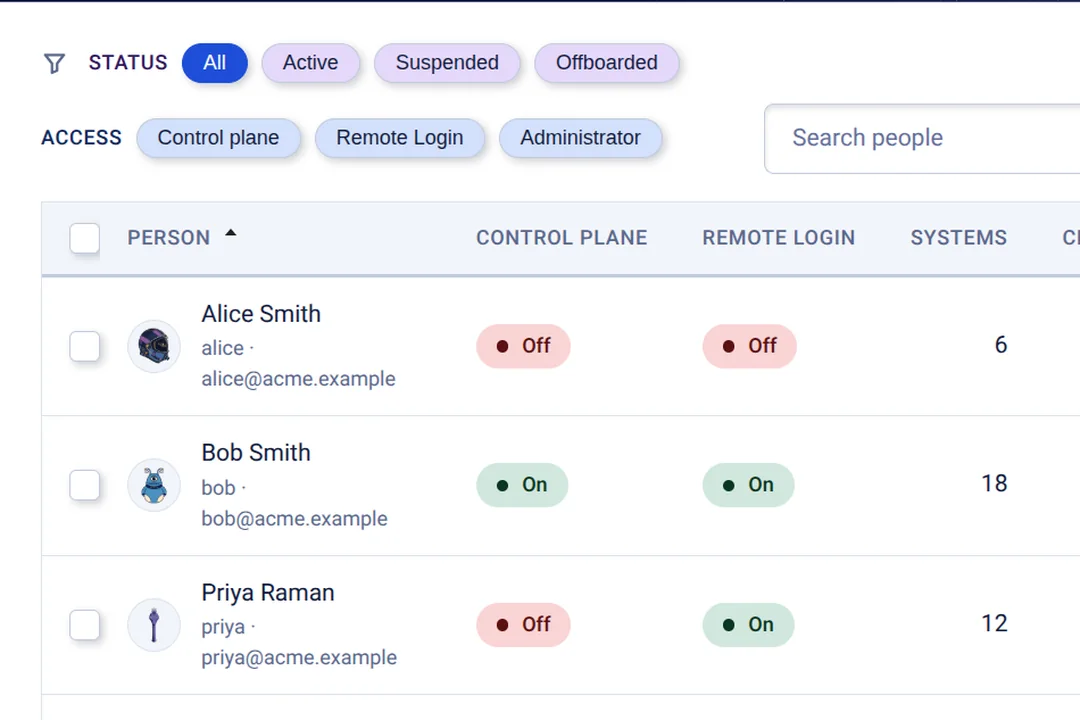

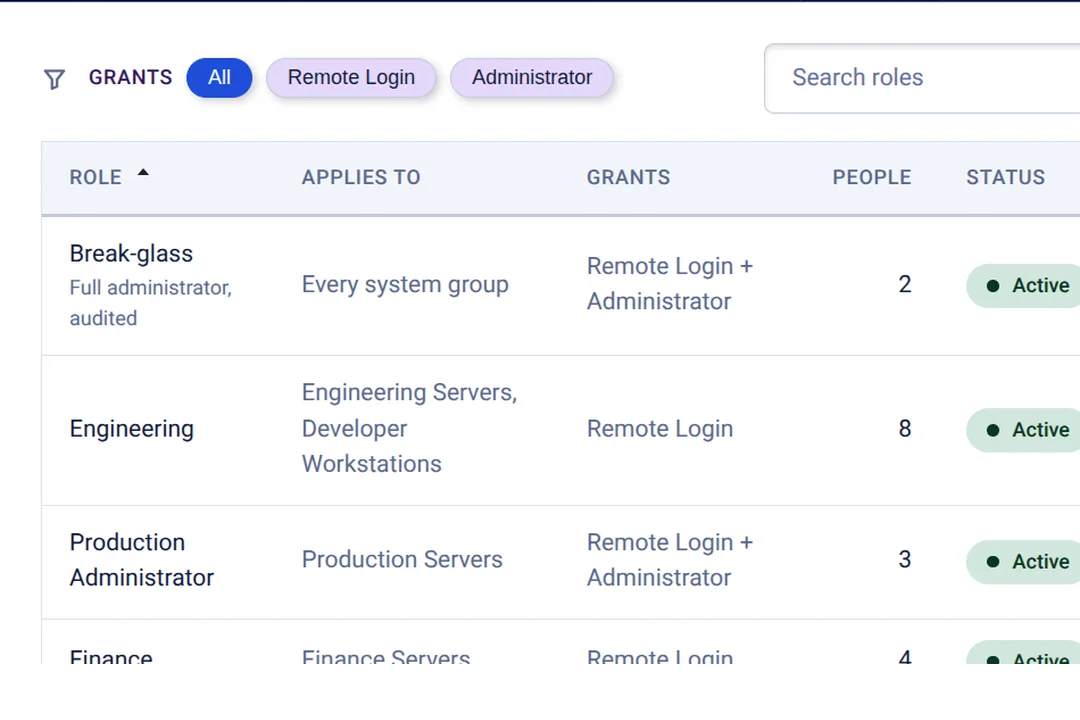

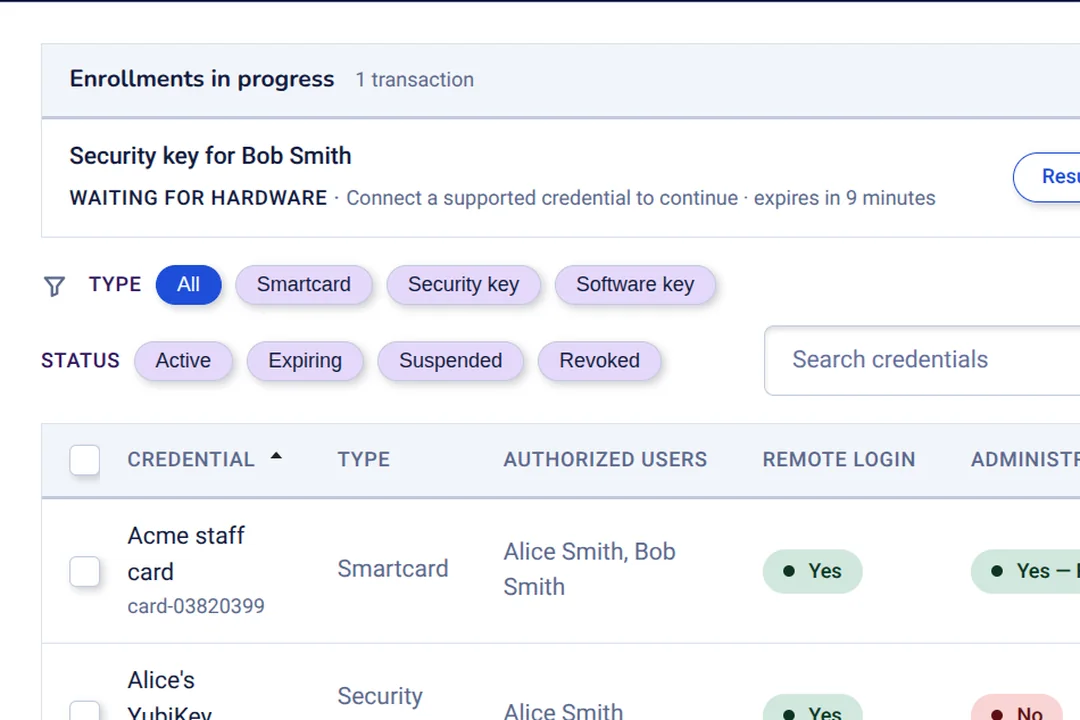

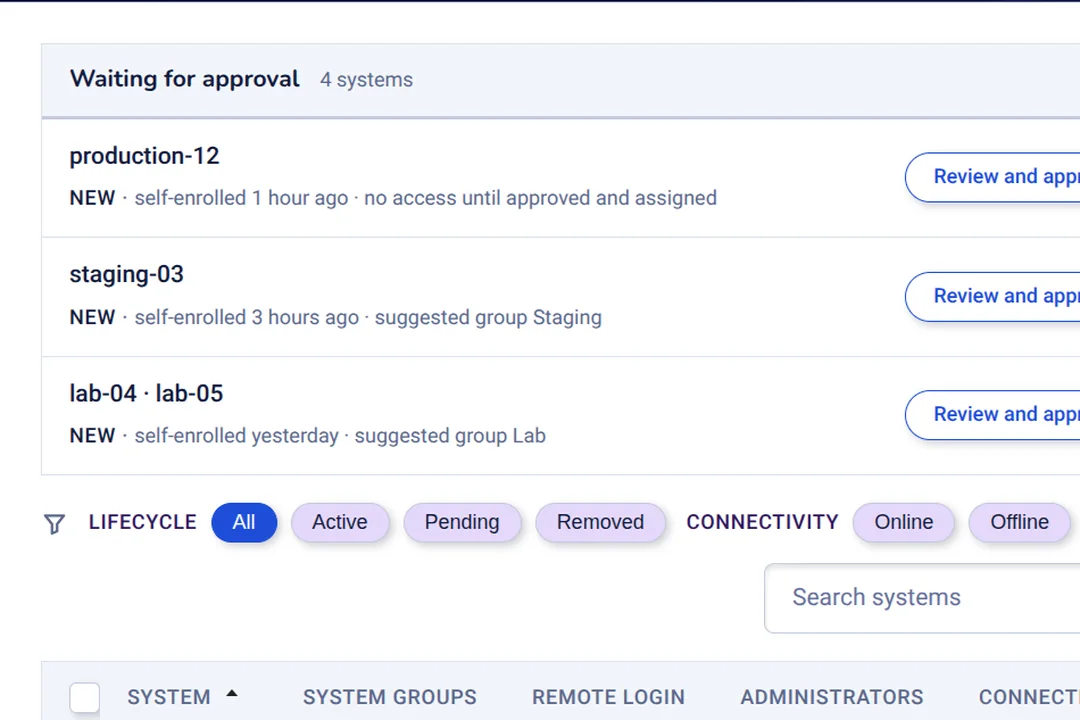

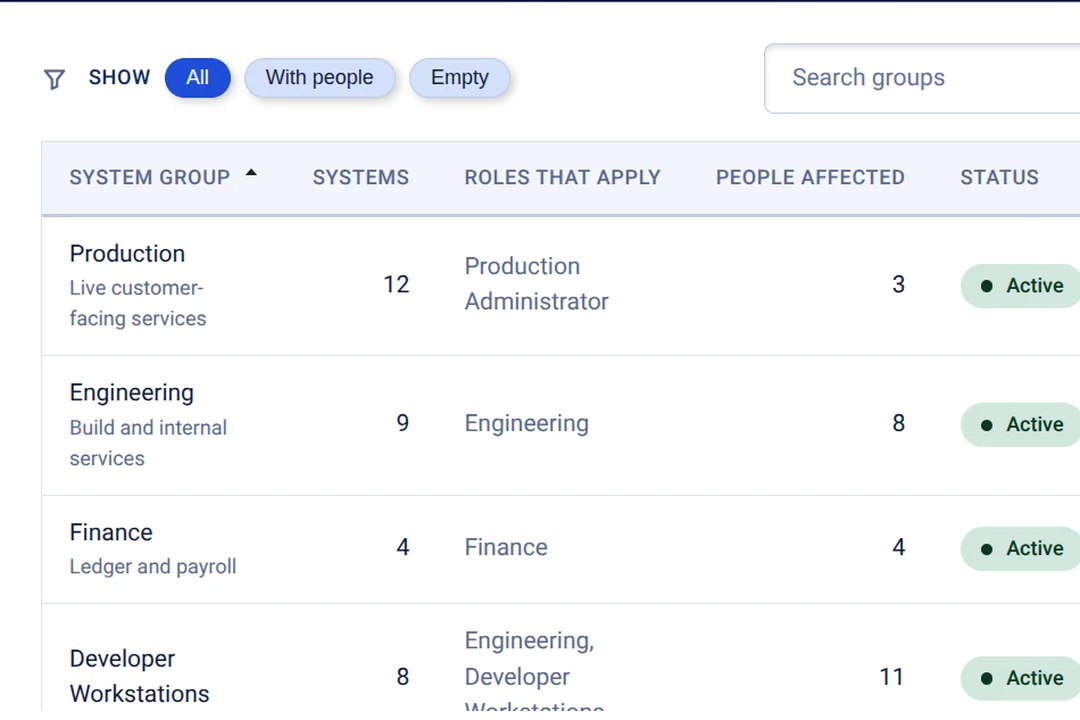
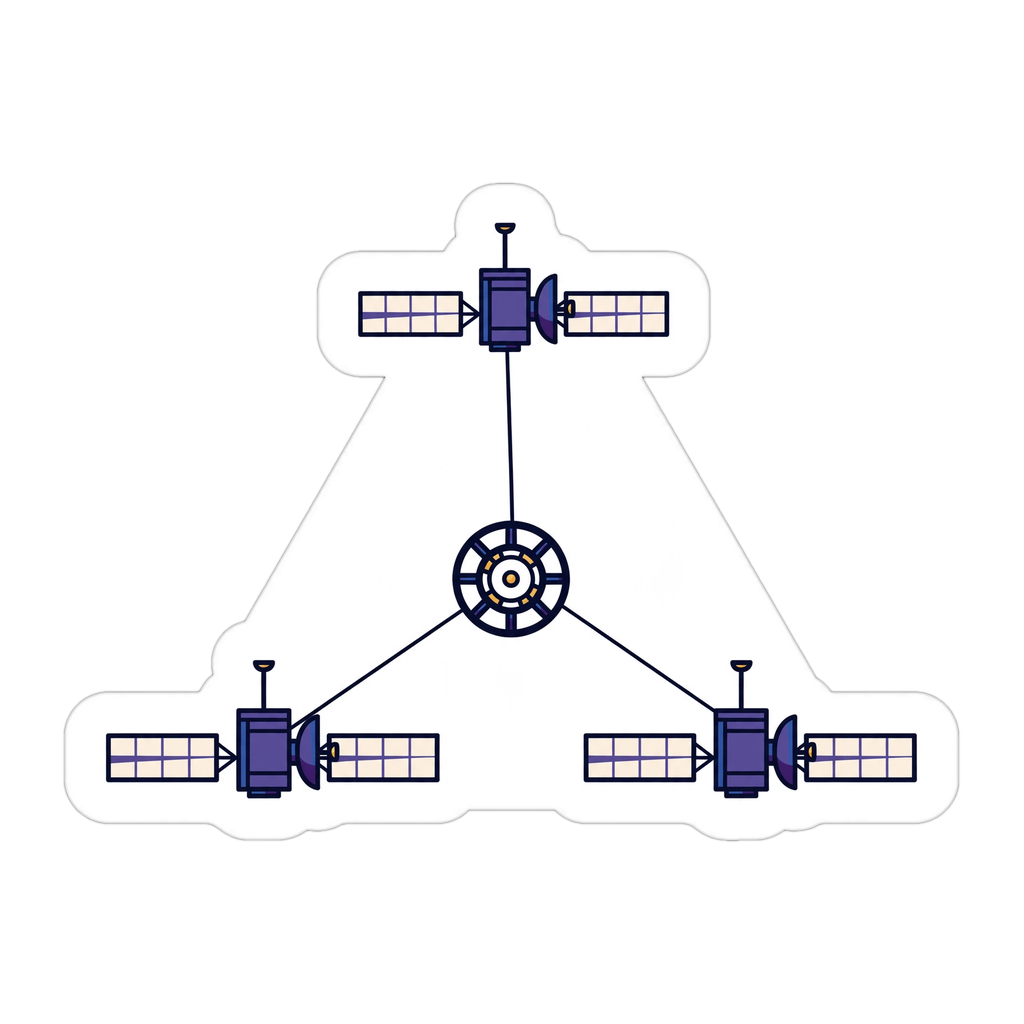
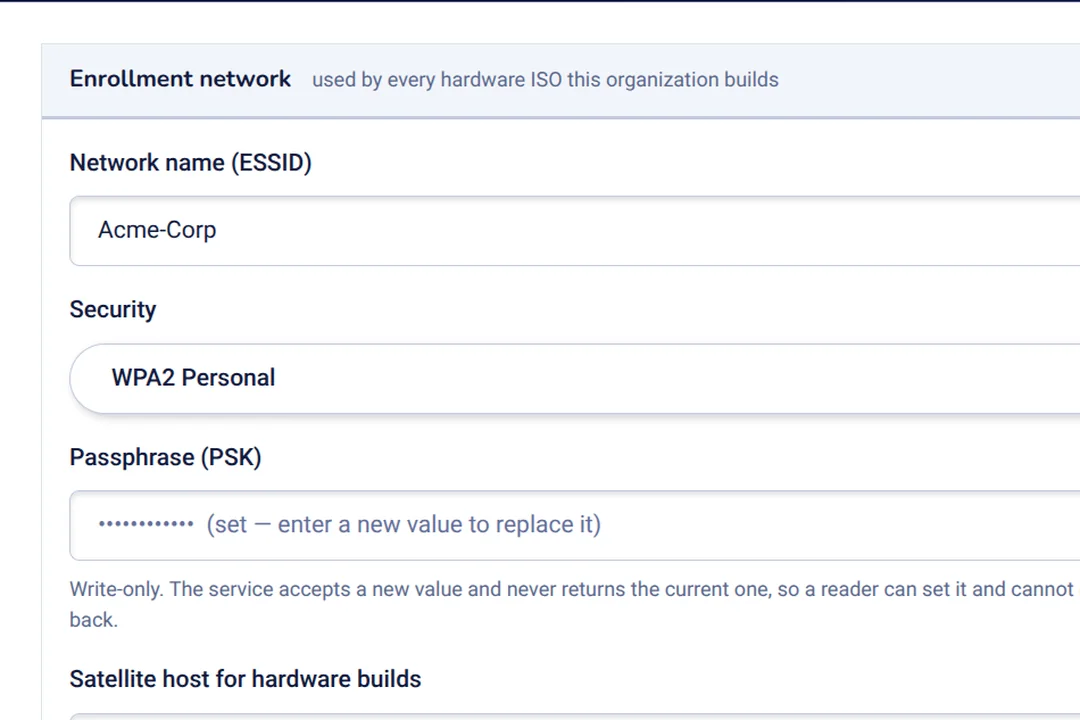

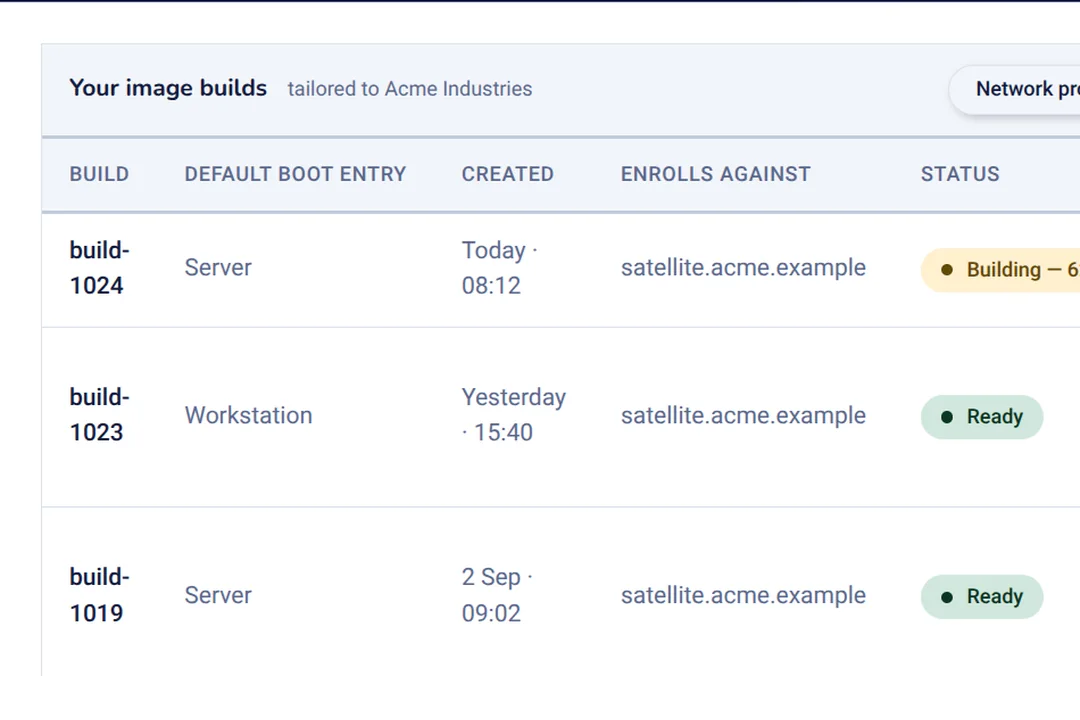

These are pictures of working pages rather than of a mockup: what you see is the console itself, and there is nothing to install to have it and nothing to log in to twice. The console also has two levels: what your organisation sees, and what the provider sees. And changes on it are recorded against the person who made them, and the record they changed.
Signing in with a card
Signing in — and unlocking administrator rights — asks for two things: a card you carry and a PIN you know. Neither is much use on its own: a card that is found or copied still needs the PIN, and a PIN that has been watched or guessed still needs the card.
The card keeps the secret
Your card holds a private key that never leaves it. Signing in proves who you are without sending a password anywhere, and the same card is what unlocks administrator work.
The PIN unlocks the card
The PIN opens the card rather than proving anything to a server. A card without its PIN opens nothing, and a card that is lost is cancelled once — in the console — instead of on every computer it was ever allowed to reach.
Administrator rights need the card too
They are not a separate password that can be written down or passed around: they need the same card, and the PIN again. And every use of them is recorded against the person who used it.
Your card works at the computer as well as in the browser: it signs you in, and it decides which computers you are allowed to connect to. Access is granted to a group once, rather than computer by computer as each new machine arrives.
Locked disks, and a key that is never written down
Every Govnix computer is encrypted from the moment it is set up. The key that opens the disk lives inside the machine's own security chip and is never stored on the disk it opens — so a machine starts without asking anybody for a secret, and the disk gives up nothing if it is taken away from it.
The whole disk, not just your files
Everything except a small start-up partition is encrypted: the operating system, the programs, the logs and all the data. There is no unencrypted version to choose by mistake, because there is no unencrypted version.
The machine's chip holds the key
The disk's key is sealed inside the machine's own security chip, where it can only be released back into that machine. It is never written to the disk, and the passphrase used during setup is destroyed once the machine is built — so there is no second way in left behind it.
If anything has changed, it does not open
Before releasing the key, the chip checks that the firmware, the start-up code and the kernel are exactly what they were when the machine was set up. If they are not, the machine stops where it is. There is deliberately nothing to fall back on — a key kept on the disk to rescue an update is a key somebody else could use.
Two things are worth being straight about. The first is what this does: take the disk out of a Govnix machine and it is a block of random-looking data, with no key beside it and no passphrase left in it to guess at or share — which is the whole reason the key is never written down. The second is what it does not do. A machine that has to start with nobody standing at it is a machine that will start for whoever has it, so what meets a thief is the sign-in screen — and the sign-in needs the card and its PIN. If a computer goes missing, you cancel its card access in the console and mark it gone. The server version and the desktop version are arranged the same way, so every machine you run is encrypted.
How it works
The life of one computer, from the setup file to a line in the console. Each step says what happens, and what does it.
- Set up — nobody has to answer questionsEvery question an installer would normally ask has already been answered, so a computer can be set up with nobody sitting in front of it — on its own screen or over the network.runs by itself
- Encrypt — the disk is unreadable without the computerThe whole disk is encrypted as the machine is built, and the operating system's own files are protected against change while it is running.the installer
- Start up — the machine opens its own diskIt checks that nothing about the way it starts has been altered, and releases the key from the chip that did the checking. No secret is written down to fall back on, so if the check fails the machine stops rather than opens.the machine itself, and nothing else
- Join — the computer becomes part of your setupIt is added to the console and put into a group. The group is what gives people access to it, so nobody has to add machines to a list by hand.the console · being built
- Manage — access is granted once, not per computerA person has a job, the job carries permissions, a group holds computers, and a card is held by a person. Who may connect to what falls out of those links — and administrator rights ask for the card and its PIN again.the console · being built
- Check — you can see what happenedEvery change shows who made it and what they changed, and the console's own sign-in log is a screen somebody actually reads.the console · being built
The steps marked being built are designed screen by screen and are next in line. Setting up a computer, and the checks that go with it, work now.
Who it is for
Anyone who looks after computers on behalf of other people.
Teams with computers to roll out
Labs, clinics, shops, classrooms: machines set up in tens, where the small differences between them become the support calls — and the reason a fix works on one and not on the next. Every one of them here is set up the same way, and encrypted.
Anyone who has to prove who can reach what
Where "who could sign in to this machine, and who said they could?" has to be answered from a page rather than by ringing somebody — and where the answer has to survive that person leaving.
Organisations with administrators
The people who can do anything are the biggest risk. A card and a PIN make an administrator's account something a person holds rather than something they know, and every use of it is recorded against them.
What is different
Six decisions that shape everything above them — two about your records, two about signing in, and two about the disks.
Access is granted once, not per computer
A person has a job, the job carries permissions, and a group holds computers. Adding a new machine means putting it in a group — not editing a file on every machine that has to trust it.
Every change is recorded
Each change shows who made it and what they changed, so "who allowed this?" is answered from the console rather than from somebody's memory.
Administrator rights need the card as well
The card that signs you in is the card that unlocks administrator rights, and the PIN is asked for both times — so there is no separate administrator password to write down, share, or be caught by.
One card can serve several people
A card, a key or a certificate can be held by as many people as need it, and cancelling one person's access leaves everybody else's working — which is how real teams are shaped, and what a single-owner field cannot say.
Encryption is not optional
Every computer is encrypted, and there is no unencrypted version to choose by mistake. The server and the desktop are the same disk with a different set of programs on top.
One credential for everything a person does
Signing in, administrator rights and reaching another machine all open with the same card and PIN — one credential to issue, one to explain at the desk, and one to cancel when somebody leaves. The disk looks after itself: nobody has to remember anything for it.
A person's words
One quotation, from the people the product is for.
I stopped setting machines up by hand in the second week. They all come out the same, the disks open themselves at start-up, the card in my pocket gets me in, and the list of who can sign in to which machine is a page rather than an email.
An operator, on a 40-machine lab · placeholder, to be replaced by a real quotation before launch
What works today, and what comes next
Setting a computer up, and checking it, work today. The console is designed screen by screen and is being built. Everything after that is planned, in the order the work has to happen.
- Setting up a computerThe installer, the encrypted disk, and the checks the machine makes at every start — with the disk's key sealed to the machine once everything else is in place, so nothing is left stored on the disk to find.works today
- Checking every installationEvery setup is tested against the safety rules it claims before it is called good.works today
- The consolePeople, computers, cards, jobs, groups and the record of what changed — designed screen by screen, and shown above.being built
- Computers that join by themselvesA new machine adds itself and gets the certificate that identifies it, so "joined" becomes something the console can show rather than a note somebody keeps.planned
- Cards that open the computerThe card and its PIN already sign you in and unlock administrator rights. Next, the same card opens the disk itself — so the key to a machine is something in your pocket rather than a chip inside the machine that has to open it for you.planned
- Your existing directory, and the computers' own logsPeople and groups read from the directory you already keep, with the computers' logs shown beside the console's record of who changed what.planned
The questions people ask
Answered here rather than in a form, because they are asked before anybody fills one in.
What does the console keep track of?
People, computers, cards and keys, jobs, groups and networks — plus a record of what changed. A computer is not "known" just because somebody listed it: it joins, it goes into a group, and the group is what gives people access to it.
Do people have to use a card?
Both signing in and unlocking administrator rights are done with the card and its PIN. There is no second secret sitting beside the card for a whole team to share — you cancel one card, and you know exactly which access you have cancelled. Who somebody is, and what they may reach, still comes from your own directory.
What if someone loses their card?
You cancel it once, in the console, and every computer that accepted it stops accepting it. A replacement is issued to the same person, and nothing on the computers themselves has to be changed.
What stops somebody who steals a computer from reading it?
Take the disk out and there is nothing to read: it is encrypted with a key sealed inside the machine's security chip and never written on the disk, and the passphrase used during setup is destroyed once the machine is built. A whole computer that is stolen will start — it has to, to be useful to the person it belongs to — so what meets the thief is the sign-in, and that needs the card and its PIN. A missing machine is marked gone in the console and its card access is cancelled.
What if a change stops a computer opening?
If the way a machine starts is altered — by a firmware update, or by something less friendly — the chip will not release the key, and the machine stops rather than opens. That is the deliberate trade: a key kept on the disk to rescue a bad update is a key somebody else could use. Putting it right takes somebody with the machine in front of them, which is what we would walk through with you before a rollout.
Is this a different kind of Linux?
No. It is Debian 13 — the same Linux a great many servers already run — set up and locked down in advance. Nothing is forked: what Govnix decides is what gets installed, how the disk is arranged, and how the computer unlocks.
What does a trial involve?
One computer set up from the image and compared with the way you build them today, one team's details in the console, and a card on one door. Nothing has to be migrated first, and the comparison is the point.
What to do next
The next step is not signing up. It is a small trial: set up one computer, put one team in the console, and try a card at one door — then compare it with how you do things now.